
Beer Timer2.0.2 - App Store
You'll be able to see results in few seconds.
Publisher Description
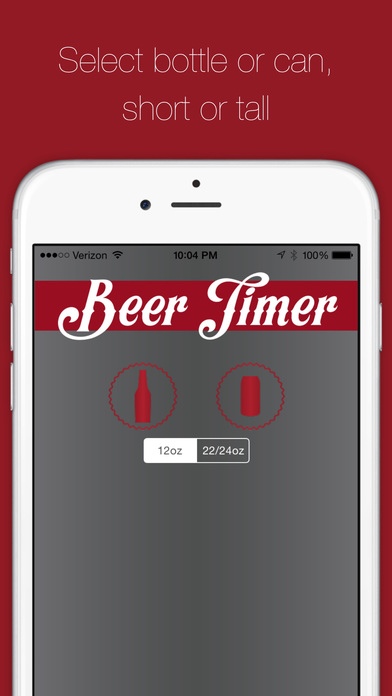
STOP EXPLODING BEERS IN YOUR FREEZER and drink your beer at the perfect temperature every time!
Ever go to the store, buy beer at room temperature, come home, place a beer in the freezer, only to forget it and come back later to a freezer full of exploded beer? We have... and we re sick of it... it makes a HUGE mess and more importantly... IT WASTES BEER!
GET BEER TIMER. Pick what kind of beer you have, what size it is and what its in and Beer Timer does the rest. We ve used Newton s Law of Cooling and a whole lot of testing (and... of course drinking!) to determine how long cooling beer in a freezer takes.
Different beers have different optimum drinking temperatures. Beer Timer breaks it down in to five categories:
Pale Lager - (0-4C/32-39F)
Pale Ale - (4-7C/39-45F)
Dark Lager - (8-12C/45-54F)
Porter - (12-14C/54-57F)
Stout - (14-16C/57-61F)
Don't care about what temperature its SUPPOSED to be and just want it ice cold? Select
MAKE IT COLD
And Beer Timer will will go a little longer, and alarm when beer of any type gets ICE cold.
Some important tips:
Your beer should be at or about room temperature of 70 degrees and your freezer should be close to zero degrees.
Make sure your iPhone isn t set to silent! If your volume is turned down, the alarm will vibrate, but if your phone is on silent, Beer Timer will display an alert only.
GET BEER TIMER- It will alarm when your beer is ready and prevent you from EVER sacrificing a beer to the inside of your freezer again
Requires iOS 8.0 or later. Compatible with iPhone, iPad, and iPod touch.
About Beer Timer
The company that develops Beer Timer is Blue Hula Studios. The latest version released by its developer is 2.0.2.
To install Beer Timer on your iOS device, just click the green Continue To App button above to start the installation process. The app is listed on our website since 2011-05-22 and was downloaded 0 times. We have already checked if the download link is safe, however for your own protection we recommend that you scan the downloaded app with your antivirus. Your antivirus may detect the Beer Timer as malware if the download link is broken.
How to install Beer Timer on your iOS device:
- Click on the Continue To App button on our website. This will redirect you to the App Store.
- Once the Beer Timer is shown in the iTunes listing of your iOS device, you can start its download and installation. Tap on the GET button to the right of the app to start downloading it.
- If you are not logged-in the iOS appstore app, you'll be prompted for your your Apple ID and/or password.
- After Beer Timer is downloaded, you'll see an INSTALL button to the right. Tap on it to start the actual installation of the iOS app.
- Once installation is finished you can tap on the OPEN button to start it. Its icon will also be added to your device home screen.
Program Details
System requirements
Download information
Pricing
Version History
version 2.0.2
posted on 2011-05-22
Disclaimer
Official App Store Link
We do not host Beer Timer on our servers. We did not scan it for viruses, adware, spyware or other type of malware. This app is hosted by Apple and passed their terms and conditions to be listed there. We recommend caution when installing it.
The App Store link for Beer Timer is provided to you by apps112.com without any warranties, representations or guarantees of any kind, so access it at your own risk.
If you have questions regarding this particular app contact the publisher directly. For questions about the functionalities of apps112.com contact us.
